
A free guitar and bass practice app for your Rocksmith songs. Pick a song and you are playing along in under two seconds, on a 3D note highway or scrolling tab, with the band, lyrics, and practice tools around you.
Rock N Roller plays Rocksmith-format .psarc charts from
your own computer: official Rocksmith 2014 DLC you already own, or
freeware custom songs (CDLC) from the
CustomsForge
community. PC *_p.psarc and Mac *_m.psarc
files both play on every platform. Your library stays on your disk and
is never uploaded. Want to look around first? The demo buttons below
load a few curated songs from our CDN.
 Play latest on web
Play with demos
Play with stems
Get app


 Itch.io managed app
 Discord
Download manual
Bring your own guitar tone
Rock N Roller has no guitar cable or microphone input. It plays the song and shows you the chart; it does not listen to your guitar, make it sound like an amp, or grade your playing. Your guitar sound comes from your own rig:
- a real amp, or headphones on a practice amp, or
- an audio interface into amp software such as BIAS FX, GarageBand, Logic Pro, Guitar Rig or Neural DSP, running alongside Rock N Roller.
A Rocksmith Real Tone Cable works with that software too: it shows up as an ordinary USB audio input. And because the app never listens, there is no input latency to calibrate.
Core features
Playing in under 2 seconds
Pick a song and the chart is moving in under two seconds. No intro videos, no menus to click through. Rocksmith 2014 takes a good minute or two to get you playing.
3D highway or TabSheet
The note highway you know from Rocksmith, with chord shapes and fret numbers. Or flip any part to TabSheet: a page of guitar tab with rhythm notation, bends, slides and hammer-ons. Click a bar to jump there.
Every part of the song
Lead, Rhythm, Bass, Combo (lead and rhythm on one chart) and bonus arrangements, plus Lyrics as karaoke or with the chord names written above the words.
Built-in stems
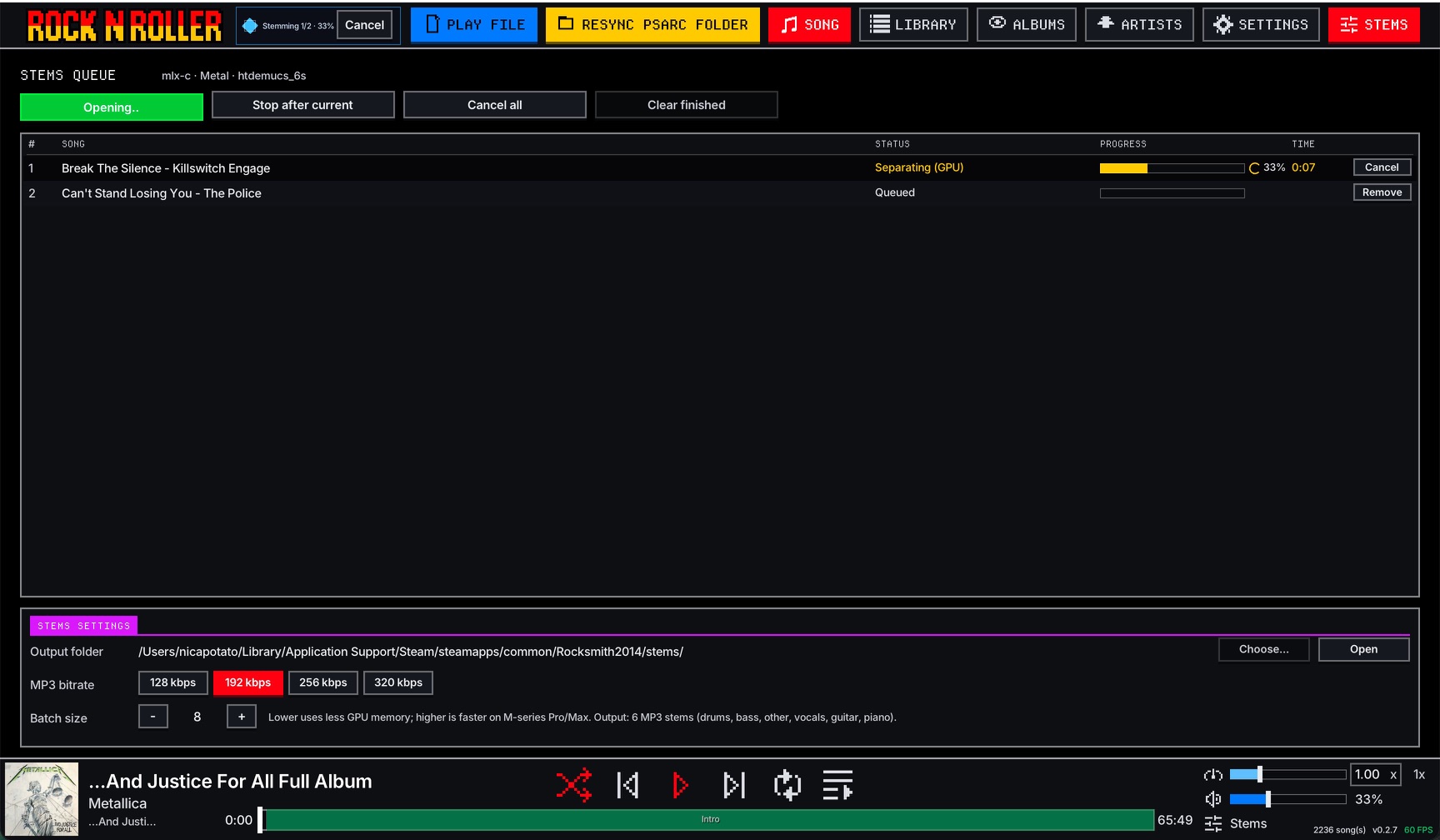
Split any song into drums, bass, guitar, vocals, piano and other with Demucs, right inside the app. Mute the guitar and play over the band, or solo a part to learn it by ear.
Uses your GPU where it can (Apple Silicon, or any Windows GPU), and can always run on the CPU instead. How stems work
Layouts you can resize
One part full screen, two side by side, or four at once. Drag the line between cells to resize them; double-click it to reset. Zen mode hides everything but the chart.
Practice tools
Slow a song down to 0.3× or speed it up to 3× without changing its pitch, loop a tricky section, and line songs up in playlists.
Your songs, your disk
Plays official Rocksmith 2014 DLC you own and community custom
songs, PC or Mac files. Point it at your Rocksmith folder, or
drop a single .psarc on the window to play it now.
Left-handed friendly
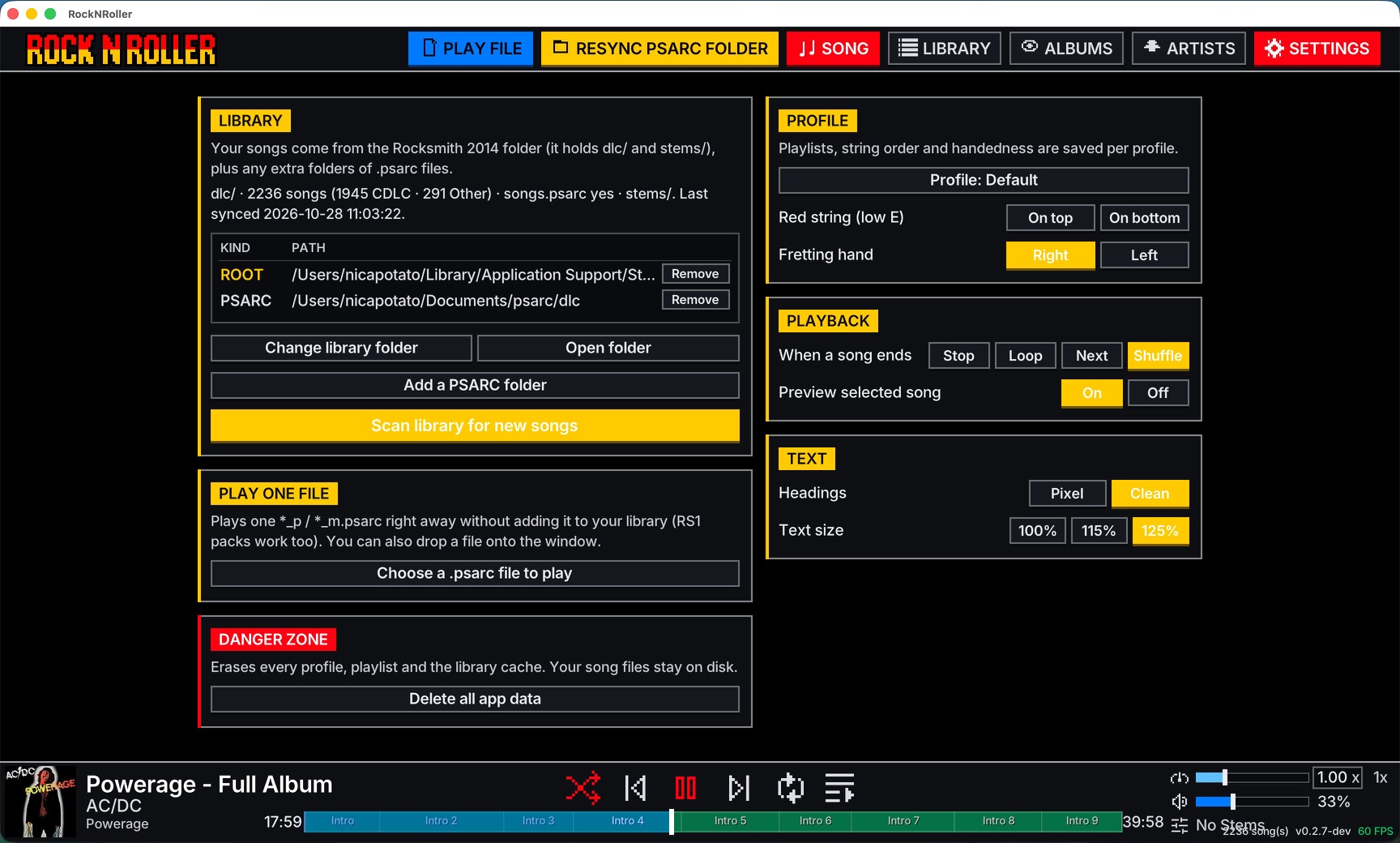
Left-handed fretting, and low E on the top or bottom of the highway. Saved per profile, so a household can share one install.
Free, everywhere
Play in Chrome or Edge with nothing to install, or download for macOS (10.15 Catalina and newer, Intel and Apple Silicon), Windows or Linux. No account, no sign-in.
Coming from Rocksmith 2014?
Rock N Roller reads the same song files, but it is a practice player, not a game. Here is what to expect:
| Rocksmith 2014 | Rock N Roller | |
|---|---|---|
| Launch to first note | About 1–2 minutes | Under 2 seconds |
| Guitar sound | Built-in amps through the Real Tone Cable | Your own amp or amp software |
| Note detection and scores | Yes | No: you play along, the app keeps time |
| Chart views | 3D highway | 3D highway or TabSheet, up to four parts at once |
| Stems | No | Built-in Demucs, six stems with their own volume |
| Slow down | Riff Repeater | 0.3×–3× on the whole song, pitch held, section loop |
| Custom songs | Needs a patched game | Plays them as they are |
| Platforms | Windows, macOS | Web, macOS, Windows, Linux |
Trailer
A quick tour
Screenshots from the desktop app. Click any image to open it full size.
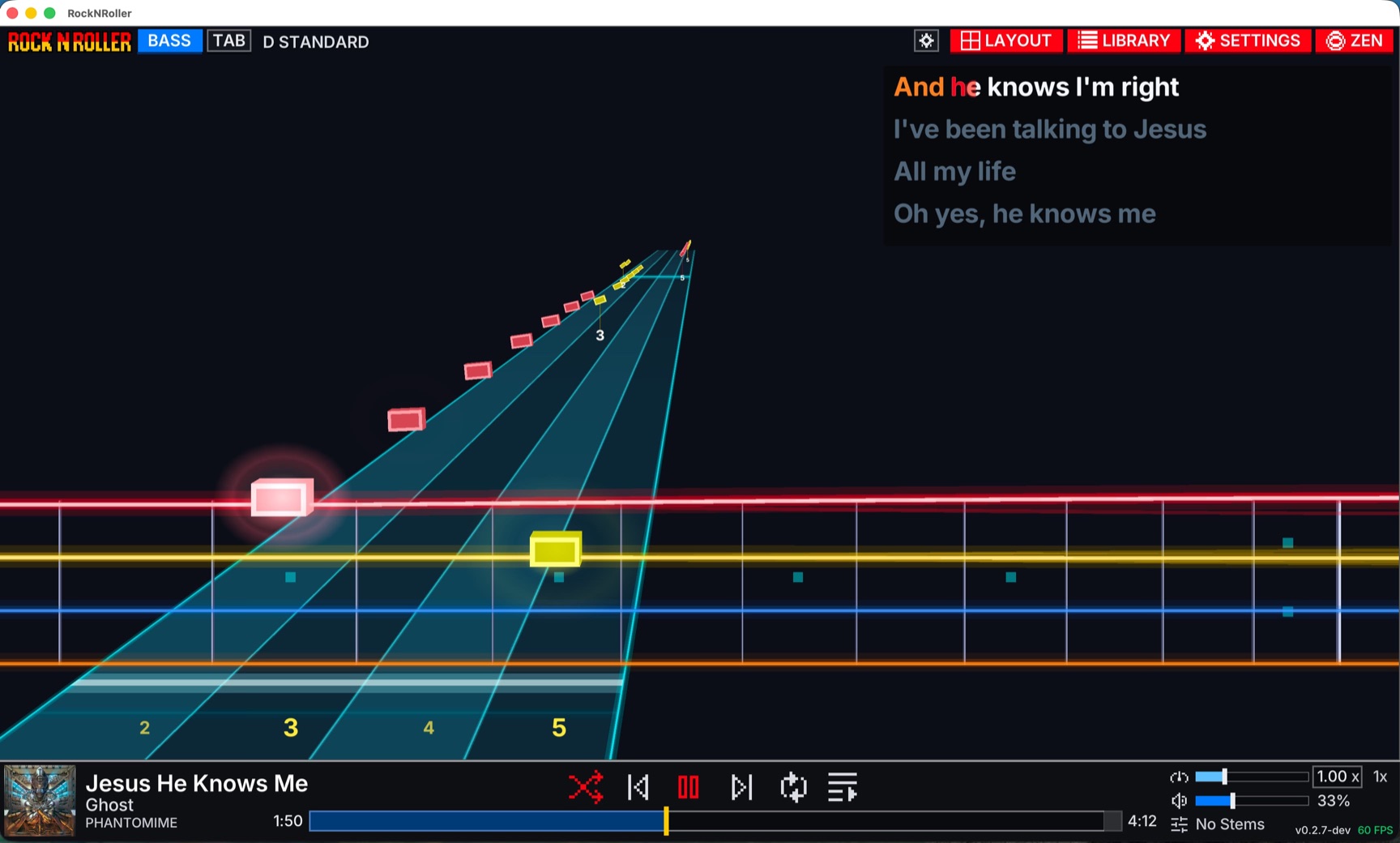
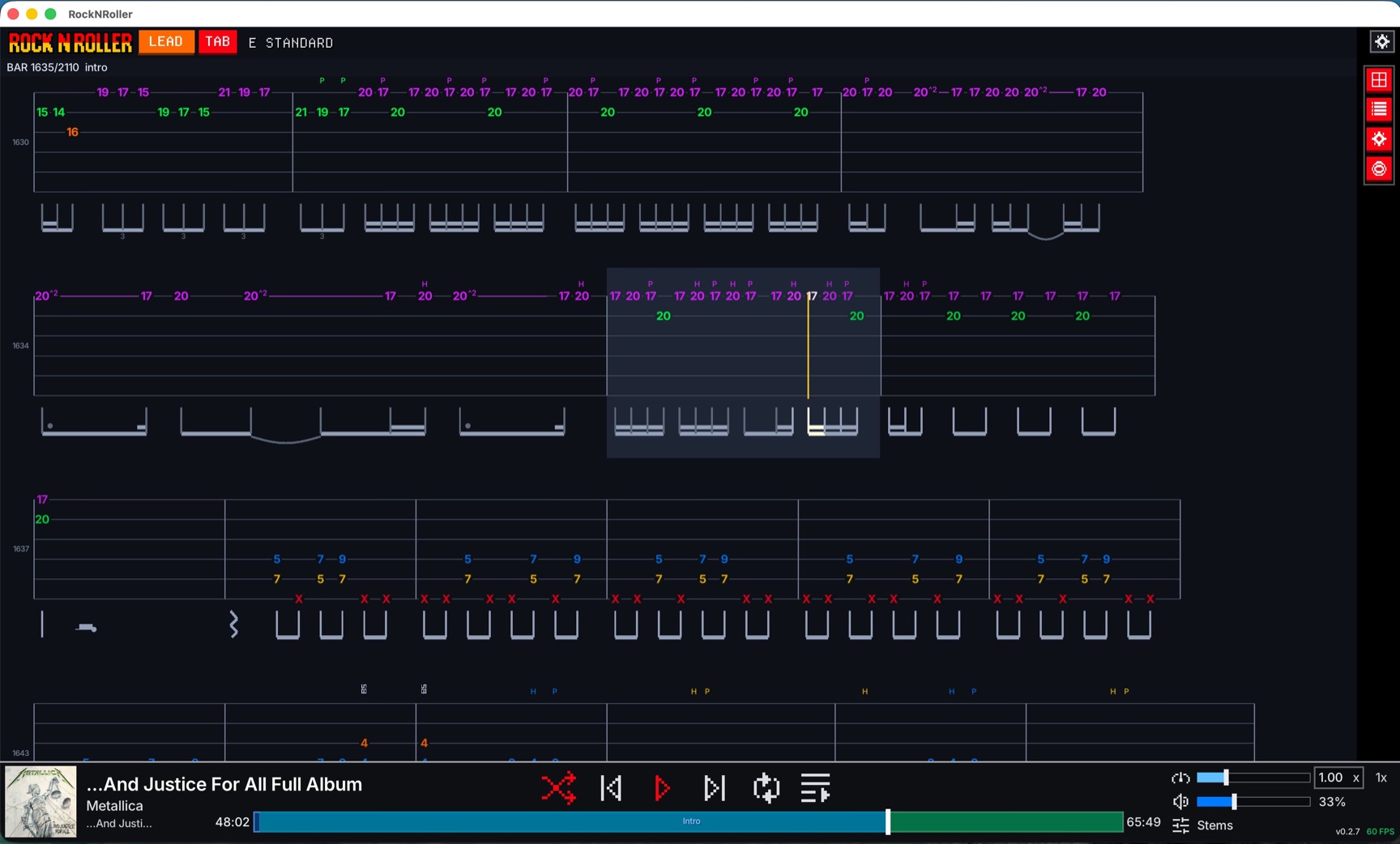
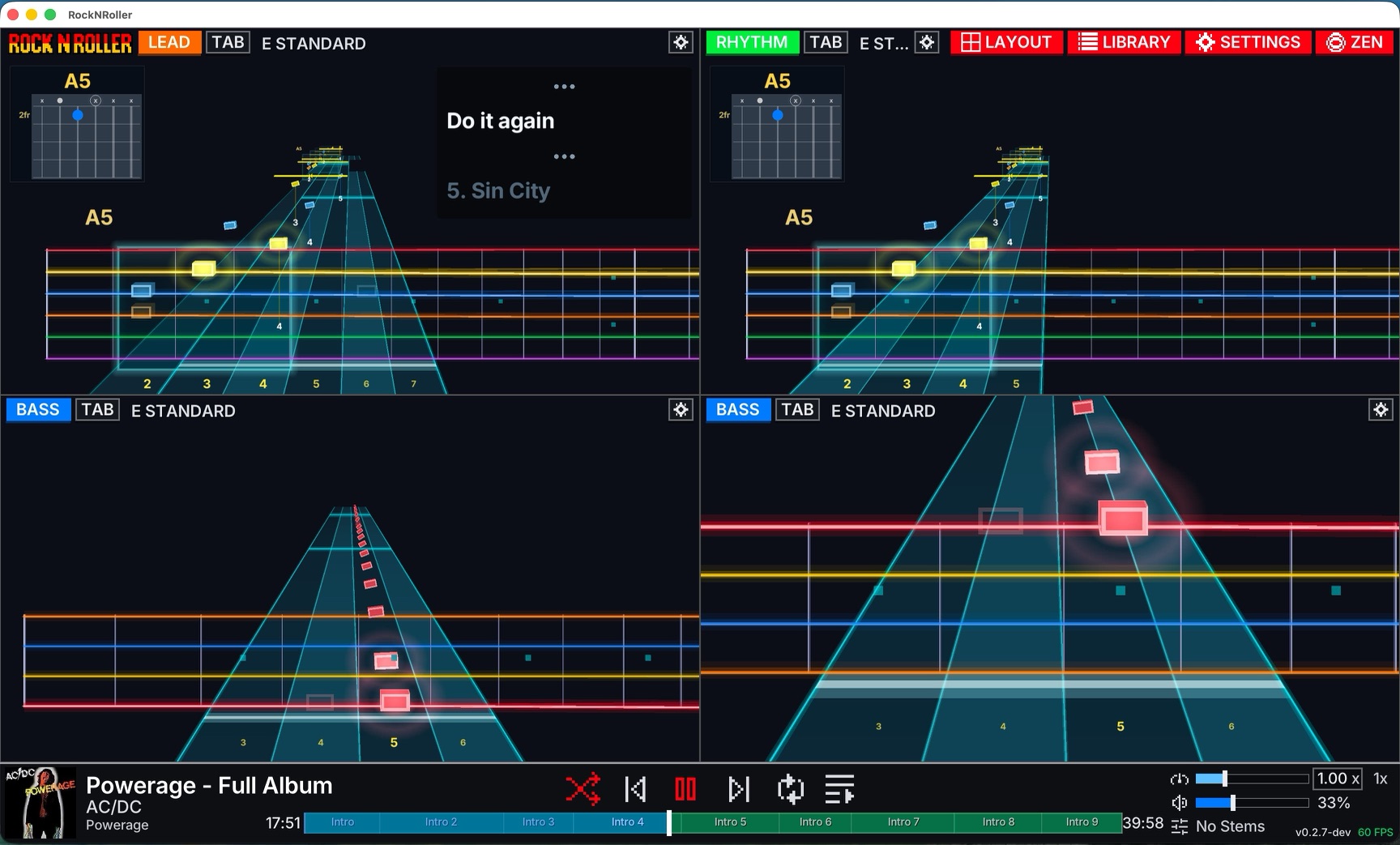
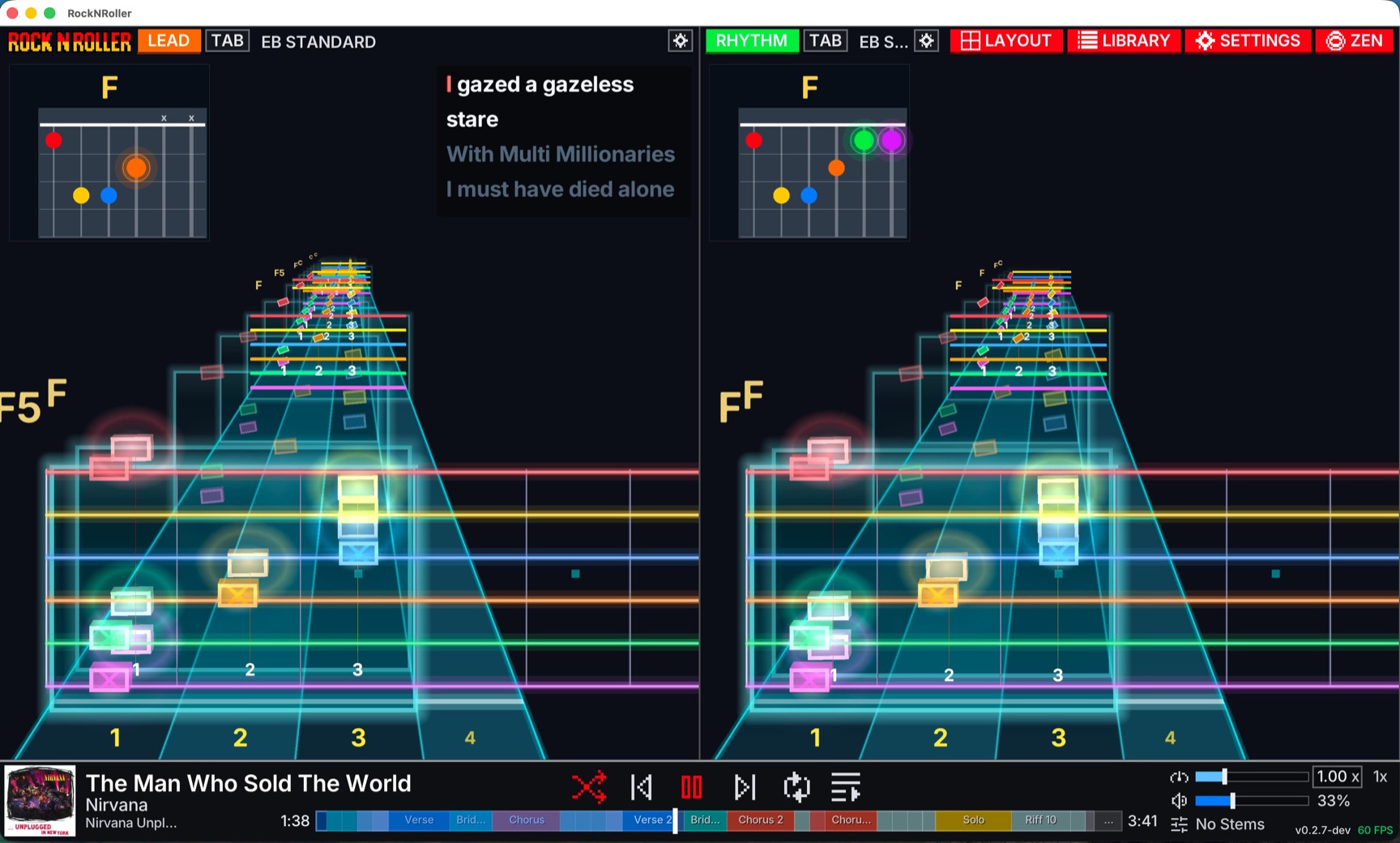
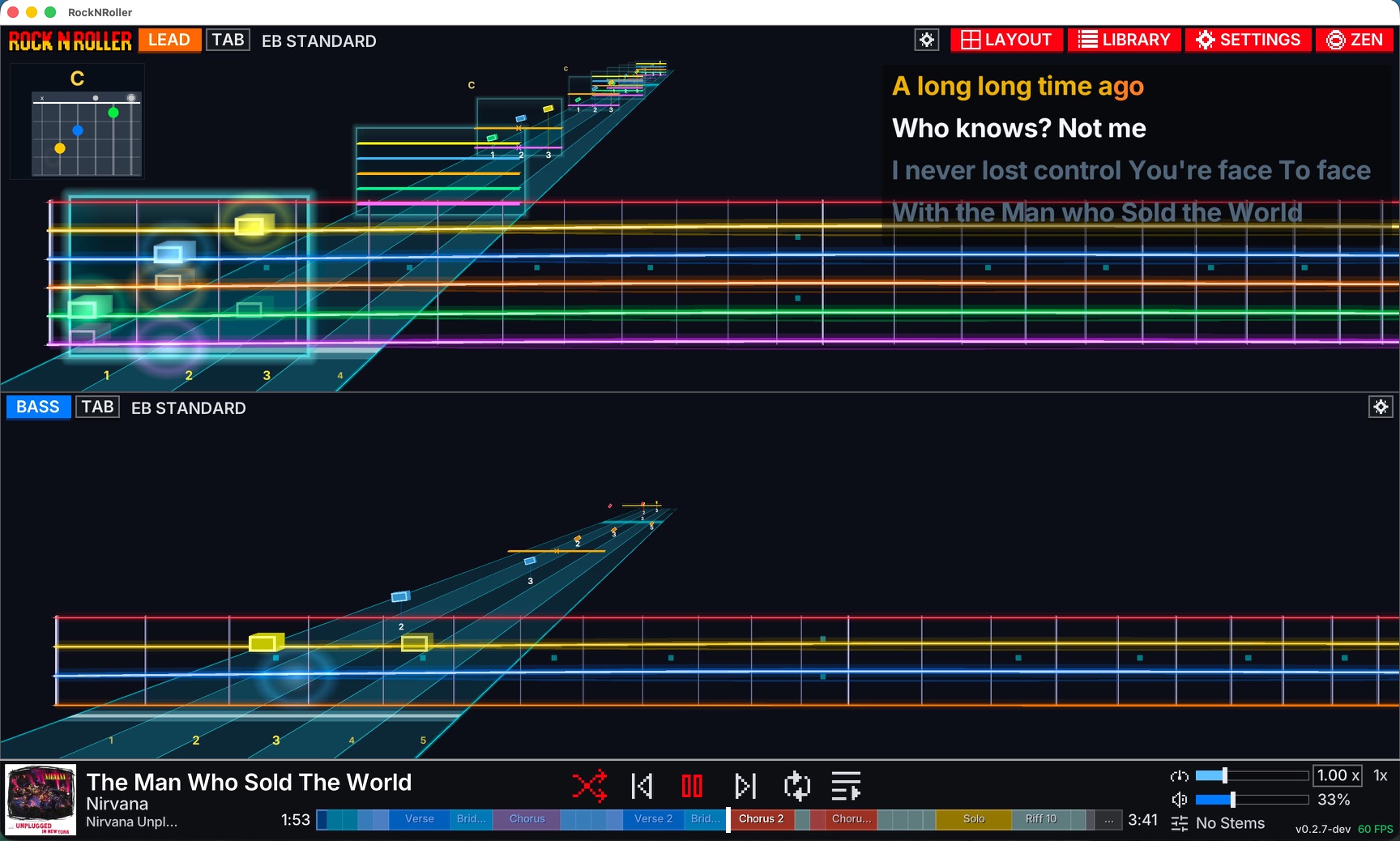
Pick a layout from the LAYOUT button, then drag the line between cells to give one part more room. Double-click the line to put it back in the middle. Each layout remembers its own sizes.
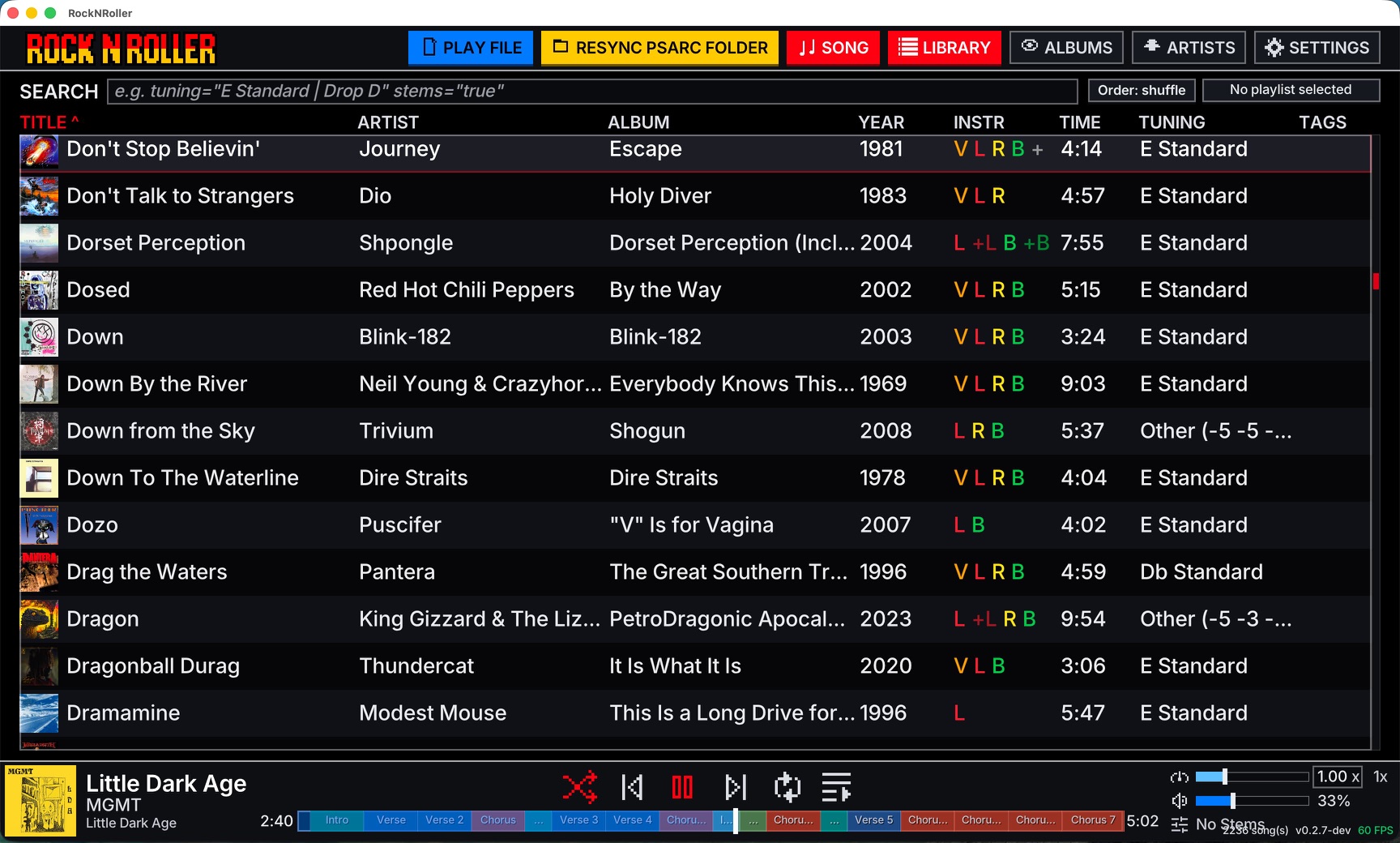
tuning="Drop D". Albums and Artists
views are a click away.
Your files stay on disk
Charts live on your machine. In the browser, the app asks for
read-only access to a local folder via the folder
picker; .psarc bytes are read in the page and never
uploaded. Saved state (profiles, playlists, scan cache) lives in your
browser's local storage for this site.
Chromium required (web)
The browser build needs a Chromium-based browser (Chrome or Edge).
Folder access uses the File System Access API
(showDirectoryPicker), which Firefox and Safari do not
support. The build also runs multithreaded WebAssembly (Emscripten
pthreads via SharedArrayBuffer), which needs a
cross-origin-isolated page — something the site sets up automatically,
but Chromium is still the supported target for the full library flow.
Chrome also refuses system and app-data folders
(Program Files, AppData,
~/Library) — exactly where Steam installs Rocksmith 2014.
For the web player, copy songs.psarc and
dlc/ to an ordinary folder such as
Documents/RockNRoller and pick that
(details). Desktop builds
read the Steam folder directly.
What it is not
This project is not affiliated with Ubisoft or Rocksmith, and it does not host, distribute, or bypass official Rocksmith DLC. It reads chart files you already have. Support official releases and the artists who make the music.
Platforms
Play in the browser at /latest (Chromium
required), or grab desktop builds from the
versions page or
itch.io.
Desktop builds read .psarc folders from disk without the
browser folder API.
| Platform | Runs on | Stem separation |
|---|---|---|
| macOS Apple Silicon | macOS 11 Big Sur or newer | GPU (Metal) |
| macOS Intel | macOS 10.15 Catalina or newer | CPU |
| Windows | Windows x64 | GPU (NVIDIA, AMD or Intel via DirectML), or CPU |
| Linux | x86_64, X11 or Wayland, OpenGL 3.3 | CPU |
| Web | Chrome or Edge | None (plays stems you already have) |
Each desktop platform has two downloads. The standard build is about 4 MB. The stems build adds the Demucs separator and is about 125–195 MB; pick it if you want to make stems. Both play stems you already have.
Bugs, support, feedback
Join the Discord for bug reports and support, or to leave feedback and suggestions.